Redimensionar imagen online gratis — Cambiar tamaño de fotos sin perder calidad
Redimensiona imágenes online gratis a las dimensiones exactas que necesitas
Image Resizer
or drag and drop
Professional Dimensions Editor
Adjustment Mode
Upscaling beyond the original size may reduce sharpness.
Output Format
¡Listo para descargar!
Redimensionado a exitosamente.
Why use our Dimensions Editor?
Pixel-Perfect Adjustment
Exact control over output dimensions.
Whether you need to meet strict web form requirements or define a banner to the millimeter, our system lets you set width and height values with pinpoint precision without forced compression.
Social Media Templates
Adapt your photos for Instagram, Facebook or X instantly.
Stop searching for resolutions on Google. With one click you can frame your content in the most popular square, vertical or widescreen formats and make sure nothing gets cropped in the feed.
Proportion Protection
Intelligently avoid stretched or distorted images.
When you activate the aspect ratio lock, our tool automatically calculates the opposite dimension (width or height) to ensure the photo keeps its original essence and looks completely natural.
Extremely Secure
All graphic processing happens locally in your browser.
Unlike old cloud-based services, resizing and rendering run on the power of your own machine. Not a single pixel of your images is sent to our servers, guaranteeing total privacy.
Pixel-Perfect Adjustment
Exact control over output dimensions.
Our system lets you set width and height values without sacrificing maximum sharpness.
Social Media Templates
Adapt your photos for Instagram, FB or X instantly.
Reframe your content in the most popular square or vertical social formats.
Proportion Lock
Intelligently avoid stretched images.
When you activate the lock, we calculate the correct bounds to preserve the natural display quality.
Extremely Secure
Fully processed on your local device.
No file is uploaded to our servers to perform crops or apply templates.
The right dimensions make all the difference.
Delivering content in the size required by platforms and clients not only looks ultra professional, it also prevents unwanted crops in your key images.
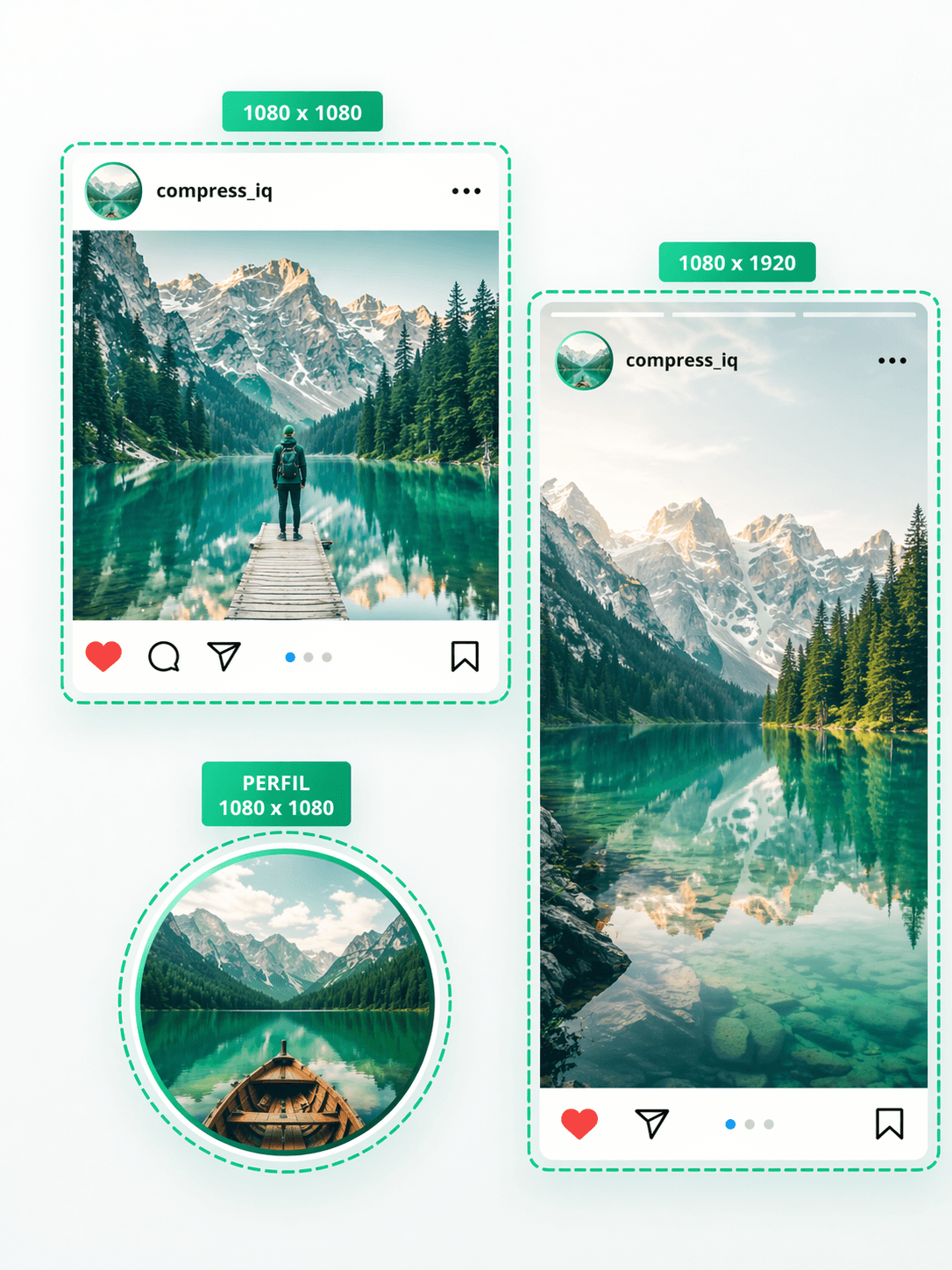
Perfectly sized posts
Prepare a square post, a vertical story or a profile image without guessing dimensions or manually nudging everything into place.
If you work with Instagram content or visual campaigns, having these formats ready from the start avoids awkward crops and makes the final result look much more polished.
It also helps you reuse the same photo across multiple campaign pieces while keeping a cleaner and more consistent feed.
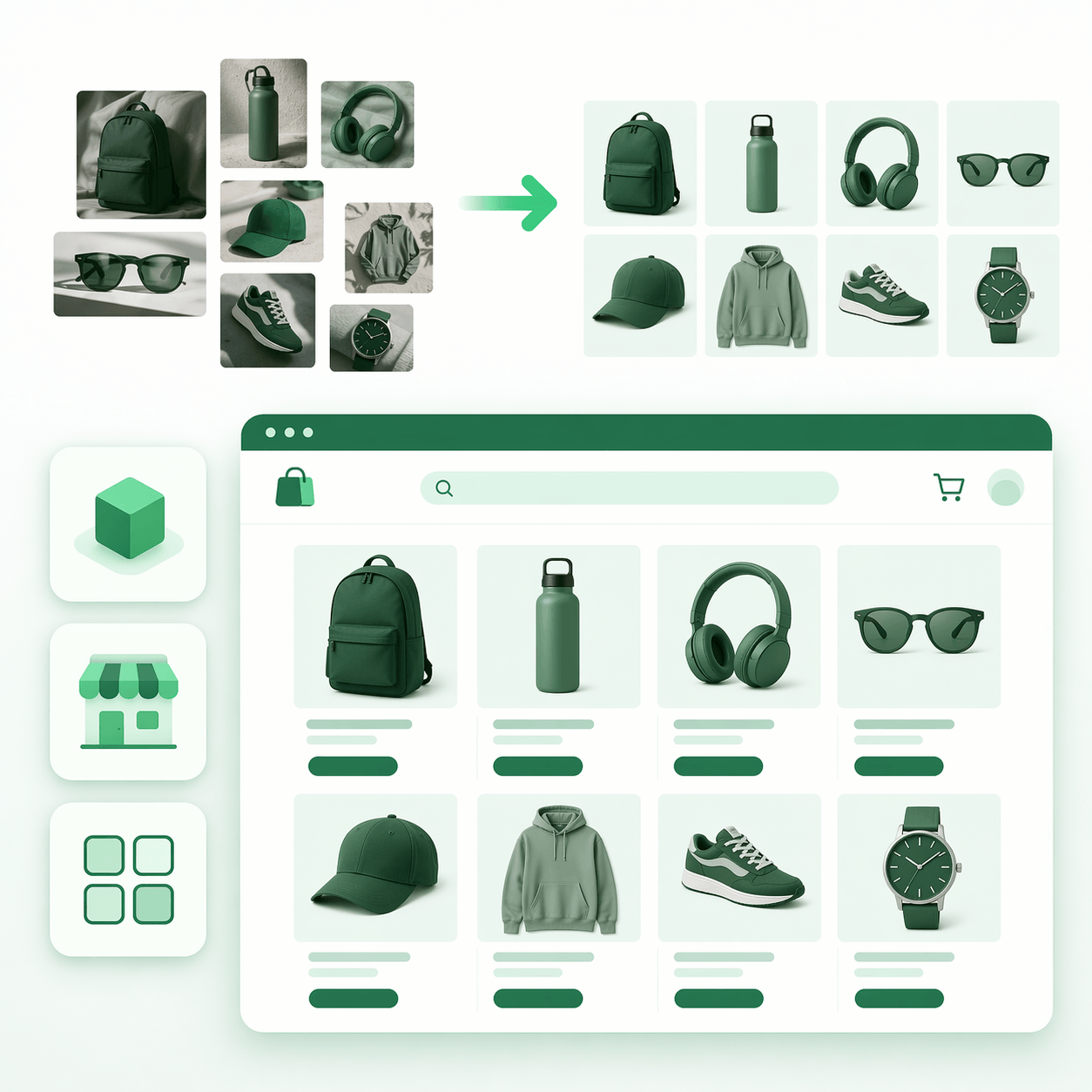
Standardized product images
Organize your store visuals with one consistent structure, so products do not feel cropped, misaligned or sized differently from one another.
When every thumbnail follows the same size system, the catalog looks more professional and the product builds much more trust at first glance.
This works especially well for online stores, marketplaces and PDF catalogs where visual consistency helps the whole collection feel more polished.
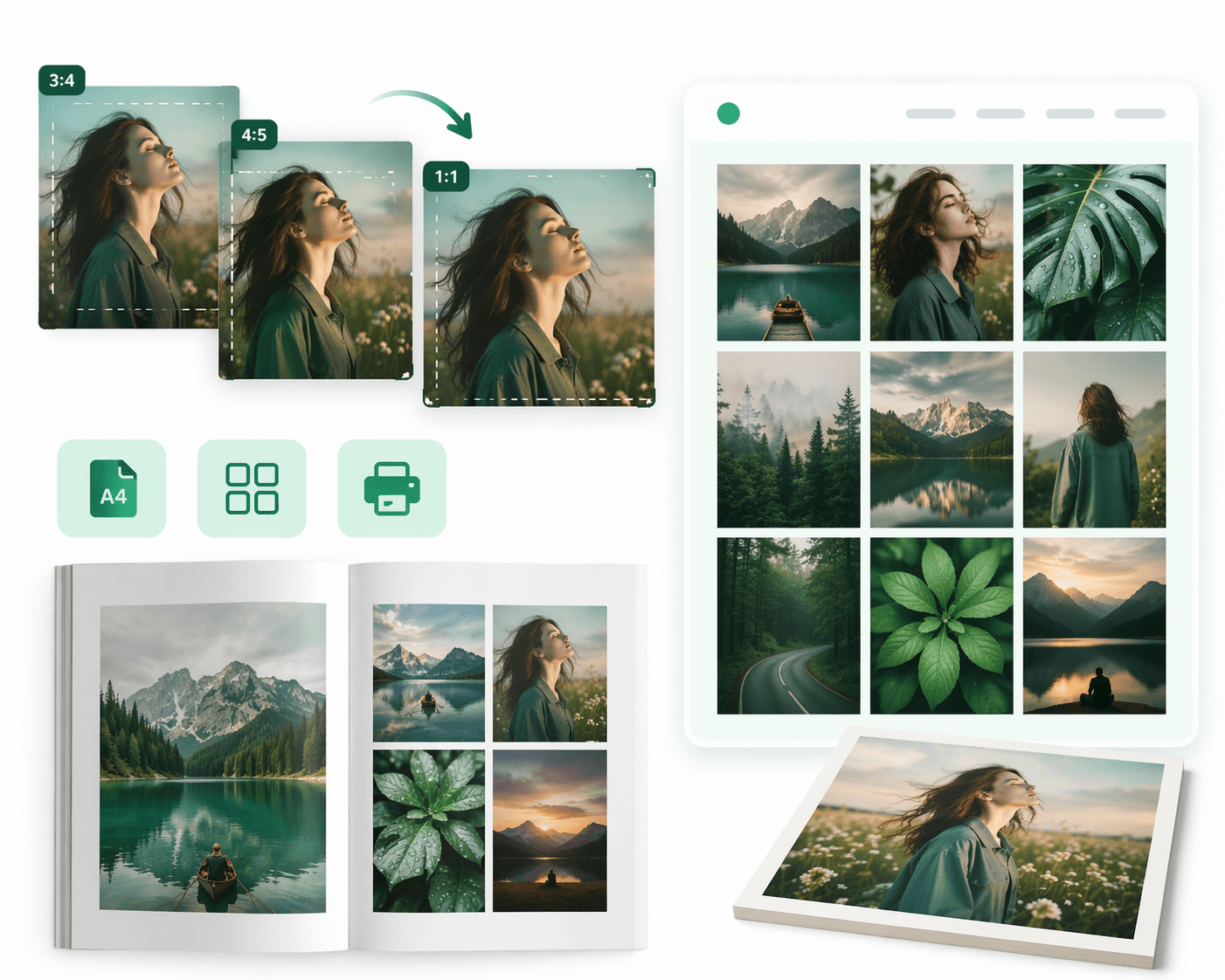
Photos ready to print or present
Prepare your images for portfolios, galleries, dossiers or printed pieces without losing visual consistency between different formats.
If you need to take the same session into square, vertical or editorial versions, resizing from a consistent base helps everything feel much more polished.
It is also useful when you want to show several images inside a presentation or portfolio and need them to work together without awkward crops or uneven sizing.
How to resize your image
Drag or select your JPG, PNG or WebP file and the preview will appear immediately.
Enter width and height in pixels, use percentage scaling or apply a preset for social formats and common sizes.
Apply the resize and download your result instantly, with no watermark and no extra steps.
Drag or select your JPG, PNG or WebP file and the preview will appear immediately.
Enter width and height in pixels, use percentage scaling or apply a preset for social formats and common sizes.
Apply the resize and download your result instantly, with no watermark and no extra steps.
Quick answers before you resize
No. The resizing happens in your browser, so the image does not need to leave your device to be processed.
You can work with JPG, PNG and WebP files. You can also change the output format when you export.
Yes. Enable the option to keep proportions and the height will recalculate automatically to avoid distortion.
Yes. You can prepare sizes for posts, stories, product listings, banners and previews without hunting down dimensions manually.
When reducing dimensions, visual quality usually stays very strong. If you enlarge beyond the original size, sharpness can drop because there are no real extra pixels to recover.