Add watermark to images online free
Add text or logo watermark to your photos in seconds, no sign-up required
Añadir marca de agua en imágenes online gratis — Protege tu contenido visual
Marca de agua en imágenes: Protege tu contenido fácilmente sin perder calidad

Add Watermark
Click to upload or drag and drop
JPG, PNG, or GIF (Max. 10MB)
Why add a watermark to your images?
Protect Your Rights
Your digital signature, always visible
Adding a watermark is the most effective barrier against plagiarism and unauthorized use of your creative work. By embedding your signature or logo directly into the image pixels, you establish undeniable authorship that deters anyone from taking your content without permission.
In a digital environment where images circulate without control, the watermark is the most direct barrier between your work and unauthorized use. It's not foolproof, but it deters theft and proves authorship instantly.
Reinforce Your Brand
Your identity travels with every image
In an era of viral content sharing, your images often travel far beyond your own channels. A watermark acts as a persistent business card: each time your photo is shared, your visual identity tags along, building authority and brand recognition organically and for free.
Unlike other marketing resources, a watermark works without any additional budget. Every image shared on social networks, blogs, or messaging becomes a free impression of your name or logo.
Professional Samples
Share without releasing the original
Perfect for photographers who need to send proofs or drafts to clients before final payment. A semi-transparent watermark allows you to showcase the quality of your work with full transparency, while ensuring the client only receives the final clean version once the transaction is complete.
The professional standard is to always share watermarked versions during revision phases. This protects your work, sets clear boundaries with the client, and projects professionalism from the very first delivery.
100% Local & Fast
No uploads, no waiting
Our technology processes every pixel directly in your browser's engine (client-side). This not only ensures near-instant speed without any wait times, but also guarantees that your private files never leave your device, eliminating any risk of leakage.
No account creation or installation needed. Open the tool, load your image, and get the result in seconds. Privacy is guaranteed because processing never touches an external server.
Protect Your Rights
Your digital signature, always visible
Embed your signature or logo directly into the pixels to establish undeniable authorship and deter plagiarism.
Reinforce Your Brand
Your identity travels with every image
Your visual identity travels with your images across social media, building brand recognition organically.
Professional Samples
Share without releasing the original
Showcase your work's quality while ensuring the client only receives the final clean version after payment.
100% Local & Fast
No uploads, no waiting
Safe, private, and instant browser-based processing: your images never leave the security of your device.
When to use a watermark
From photographers to agencies, protecting and branding visual content is key for any digital professional.
Regardless of the industry, the pattern is always the same: anyone who creates valuable visual content needs a fast way to identify and protect it before it goes out into the world.
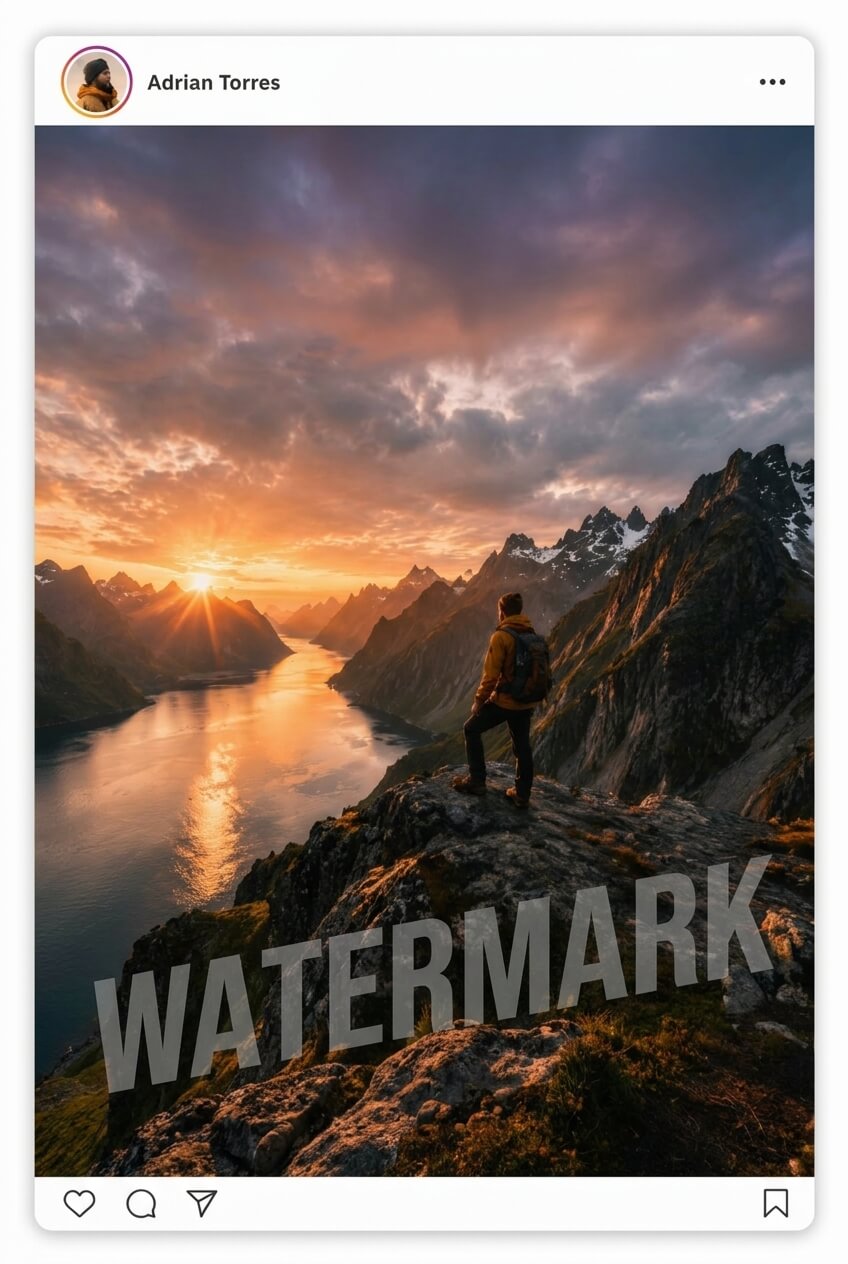
Protect your online portfolio
Every time you upload a photo to Behance, Instagram, or any public platform, that image is exposed to being downloaded and reused without permission. Adding your name or signature as a watermark is the most direct barrier to protecting your authorship.
Place the mark in a discreet corner so it doesn't interfere with the project's aesthetics but remains unmistakable. A balanced opacity allows your signature to be there without stealing the spotlight from the work.
Perfect for portfolios on Behance, Instagram, 500px, or any platform where attribution is hard to maintain once the image starts circulating.

Brand your product photos
Product images are one of the most valuable assets of an online store — and also among the most copied. Competitors or third parties can download your photos and use them in their own listings without any credit or permission.
Adding your store name in a strategic position not only identifies the images but also reinforces brand recognition every time a customer saves a screenshot or shares the product with a friend.
A semi-transparent logo in the lower right corner turns every photo into an active branding asset. It's passive advertising that requires no additional budget.

Consistent branded content
In agency environments, graphic pieces go through multiple revisions before approval. Without a visible mark, it's common for work-in-progress versions to be published by mistake or used directly by the client before the project is closed.
Systematically marking every deliverable with the agency's stamp sets a professional internal standard, makes auditing easier, and removes ambiguity about which version is approved and which is not.
The recommended workflow: the client always approves on watermarked versions and only receives the clean high-resolution file once the contract or payment is finalized.
How to add your watermark
Drag your photo onto the upload area or click to select it from your device. Supports JPG, PNG and GIF up to 10 MB.
Type your text, choose position, font, size and opacity. Enable shadow or diagonal rotation to give it a more professional finish.
Click Apply and then Download. Your watermarked image will be ready in seconds, without leaving your browser.
Drag your photo onto the upload area or click to select it from your device. Supports JPG, PNG and GIF up to 10 MB.
Type your text, choose position, font, size and opacity. Enable shadow or diagonal rotation to give it a more professional finish.
Click Apply and then Download. Your watermarked image will be ready in seconds, without leaving your browser.
Frequently asked questions
No. All processing happens directly in your browser with JavaScript. Your images never leave your device, ensuring maximum privacy.
You can load JPG, PNG and GIF images up to 10 MB. The result is always downloaded as PNG to preserve the highest possible quality.
Yes. Once the watermark is applied, you can drag it directly on the preview or use the 'Custom' position to place it at any exact coordinate.
No. The tool renders the watermark onto the canvas at full resolution. The output image keeps the same dimensions and quality as the original.
Currently the tool works with text. To use a logo, we recommend writing your brand name in a representative font or using special characters like © or ™ alongside your name.